Understanding your bill
The two parts of your Yoyo charges, what counts as usage, how the usage cap protects you, and where to see every charge.
Yoyo charges appear on your normal Shopify invoice. There are two parts.
1. Your plan
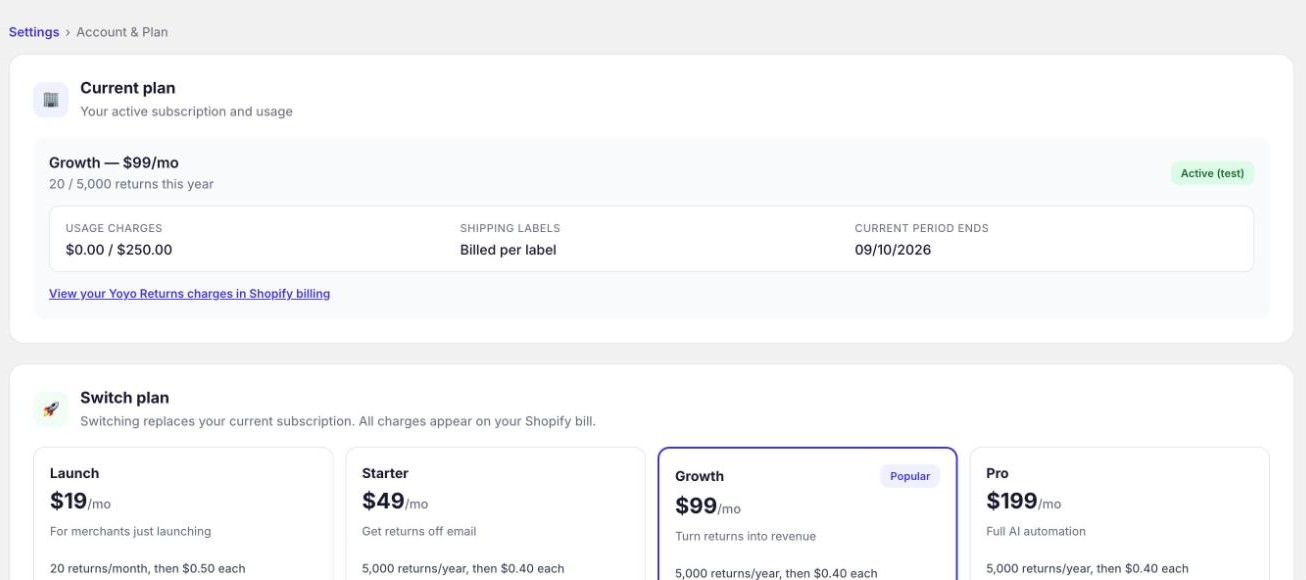
A fixed monthly amount: $19, $49, $99 or $199, depending on your plan.
2. Usage
Usage covers two things and nothing else:
- Return labels made through Yoyo's shipping account, at the carrier's price with nothing added. If you use your own carrier account, the carrier bills you and nothing appears here.
- Extra returns, if you go over what your plan includes. That's $0.50 each on Launch and $0.40 each on the other plans.
In a month where you stay inside your plan and use your own carrier account, the usage part is zero.
The usage cap
When you approve a plan, Shopify also asks you to approve a usage cap. It starts at $250 a month. This is a ceiling, not a charge. Yoyo can't bill more usage than this in a month, whatever happens.
Settings → Account & Plan shows where you stand, for example "$18.40 / $250".
Label spending has a second, lower cap of its own. It starts at £50 a month, and you set it under Settings → Shipping & Carriers → Label & budget. See UK return labels.
How returns are counted
A return counts when a customer submits a request, whatever you decide about it afterwards. On Launch the allowance covers the last 30 days. On the other plans it covers the last year, which suits seasonal stores: a busy January doesn't cost extra as long as the year stays under 5,000.
Where to see your charges
Settings → Account & Plan has a link, View your Yoyo Returns charges in Shopify billing, which opens Shopify's own record of every charge.
Good to know
- All amounts are in US dollars. Shopify converts them to your billing currency on the invoice.
- Shopify doesn't charge development stores for apps, so you can test Yoyo there for free.
- If a charge looks wrong, email support@yoyoreturns.com with the date and amount and we'll look into it.